Tools and Tool Calling
Explain tool calling, understand the model/application boundary, identify the lifecycle of a tool call, and apply controls to tool permissions and side effects.
##
- What is a tool?
A tool is an application capability exposed to an AI system. Examples include searching a knowledge base, reading a ticket, calculating a value, querying a database or creating an incident. The model may decide that a tool is useful, but the application executes the tool.
This distinction is fundamental: a model response requesting an action is not the same as the action being authorised or completed.
##
- Typical tool-calling flow
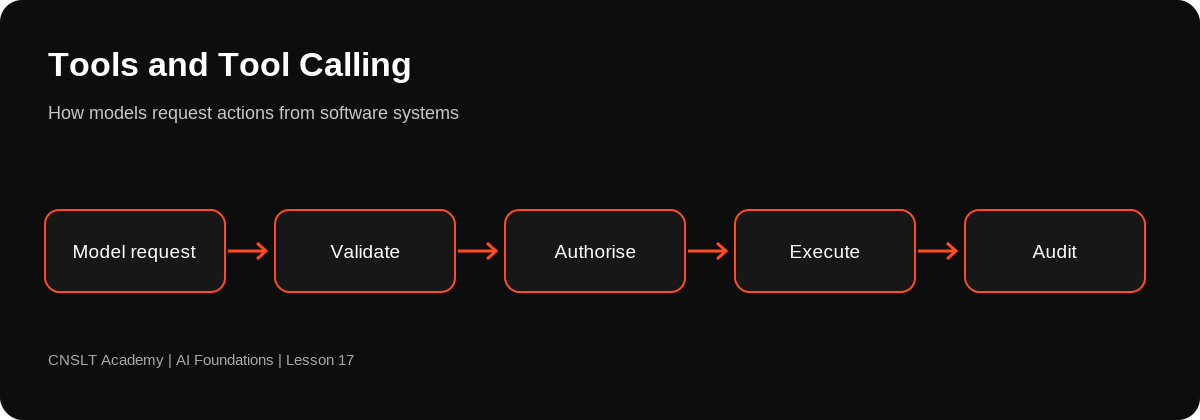
- The application sends the model the user request and available tool descriptions.
- The model returns either a normal answer or a structured tool-call request.
- The application validates the requested tool and arguments.
- The application checks identity, permissions, policy and approval requirements.
- The application executes the tool.
- The result is returned to the model or handled by the application.
- The application validates the final response and records the operation.
Tool schemas commonly describe a name, purpose and argument structure. JSON arguments should be parsed and validated against a strict schema. A valid JSON object can still contain an unsafe or unauthorised request.
##
- Tool calling vs APIs
An API is an interface exposed by a service. Tool calling is a model/application interaction pattern that allows the model to request use of a tool. The tool implementation may call an API, database, local function or another service. Tool calling does not replace API security.
##
- Read and write operations
A read operation retrieves information. A write operation changes state, such as creating a ticket, sending an email, changing an access rule or disabling an account. Write actions have side effects and need stronger controls.
Classify tools by:
- read vs write
- reversible vs irreversible
- low vs high impact
- data sensitivity
- privilege required
- approval requirement
##
- Validation and failure handling
Validate tool name, argument types, allowed values, resource ownership, tenant scope and target identity. Reject unexpected fields where possible. Use timeouts and bounded retries. For non-idempotent actions, use idempotency keys or check whether an operation already completed before retrying.
Never allow a model to construct arbitrary SQL, shell commands or unrestricted URLs and execute them without a carefully designed policy boundary.
##
- Threats and governance
Tool misuse can arise from malicious user prompts, hostile retrieved content, poisoned tool descriptions, confused-deputy conditions or excessive permissions. A model can request an action that is syntactically valid but violates business policy.
Controls include tool allowlists, per-user authorisation, parameter validation, output sanitisation, egress controls, secret isolation, approval gates, rate limits, audit logs and periodic permission reviews.
##
- Practical exercise
A helpdesk assistant can read tickets and create draft responses. Decide whether it may close a ticket, reset a password or add an administrator. For each action, define identity checks, approval, evidence, rollback and logging.
##
- Knowledge check
- Who executes a tool call?
- Does valid JSON mean an action is safe?
- Why are write tools higher risk?
- What is idempotency useful for?
- Why should arbitrary shell execution be restricted?
Answer key:
- The application/tool runtime.
- No.
- They change system state and can cause harm.
- It prevents duplicate effects during retries.
- It can grant broad system access and enable command injection or destructive actions.
##
- Checklist
- [ ] Maintain an approved tool inventory.
- [ ] Separate read and write permissions.
- [ ] Validate schemas and resource ownership.
- [ ] Enforce authorisation outside the model.
- [ ] Require approval for consequential operations.
- [ ] Use bounded retries and idempotency controls.
- [ ] Log tool requests, results and approvals.
- [ ] Review tool permissions and descriptions for changes.
##
- Further reading
Help improve this learning path.
Suggest a concept we should teach, or tell us what is unclear. No account is required. Email is optional and only for a reply. Do not include confidential or sensitive information.