Model Context Protocol (MCP)
Explain MCP's purpose and architecture, distinguish hosts, clients and servers, identify tools/resources/prompts, and assess MCP-specific security risks.
##
- What problem does MCP address?
AI applications often need to connect to many external systems. Without a shared protocol, each application and integration may require custom connection logic. Model Context Protocol (MCP) defines a standard way for an AI application to discover and interact with external context and capabilities.
MCP is an integration protocol. It does not make a connected tool trustworthy, authorise every action automatically or guarantee safe model behaviour.
##
- Architecture
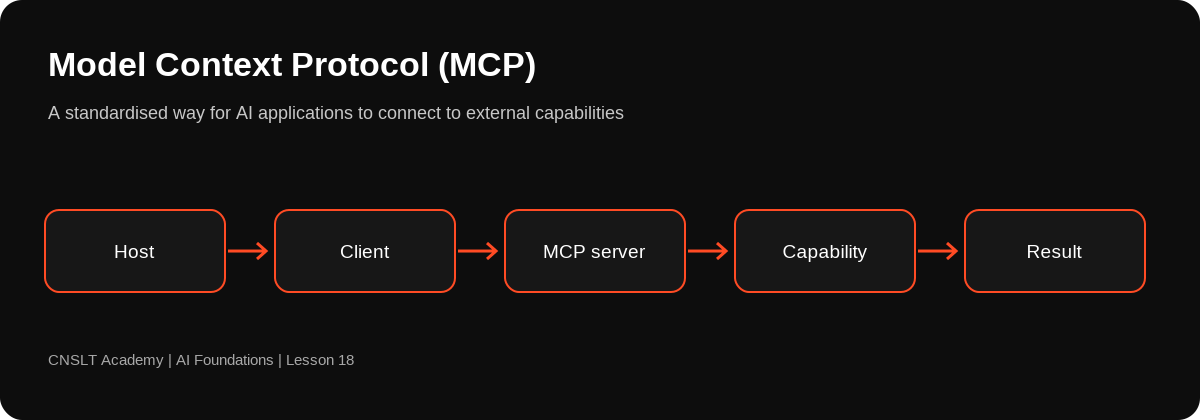
- Host: the AI application the user interacts with.
- Client: the protocol component inside the host that maintains a connection to an MCP server.
- Server: exposes capabilities such as tools, resources and prompts.
A host can manage multiple clients and servers. Each server should be treated as a separate trust boundary with its own identity, permissions and data access.
##
- Main capability types
- Tools: executable operations that a model may request through the host, such as searching tickets or creating a record.
- Resources: data or context exposed by a server, such as a document or database record.
- Prompts: reusable prompt templates or workflows exposed by a server.
The host decides how to present these capabilities and what approvals or policy checks apply. A server's capability description is metadata, not proof that the capability is safe.
##
- Protocol and transports
MCP uses JSON-RPC concepts for messages such as requests, responses and notifications. Implementations negotiate capabilities and protocol versions during connection setup. Common transport patterns include local STDIO and remote Streamable HTTP. Older HTTP+SSE patterns exist in earlier implementations and should not be assumed to be the preferred current transport.
Protocol details evolve. Implementers must pin and verify the exact specification version, SDK version and transport behaviour they deploy. Do not rely on an undated blog post or an older tutorial for current security requirements.
##
- How a request works
A host establishes a client connection, initialises the protocol session, discovers available capabilities and then invokes an approved operation. A tool result returns through the client to the host, which decides what context to provide to the model and what to show the user. Exact message exchanges depend on the protocol version and transport.
MCP is not identical to a conventional REST API. An MCP server may itself call REST APIs, databases or local functions behind the protocol interface.
##
- Security risks
- Untrusted server: a server may expose unsafe or misleading capabilities.
- Prompt injection: content returned by a resource or tool may contain hostile instructions.
- Tool poisoning: descriptions or metadata may be manipulated to influence tool selection.
- Excessive permissions: a server may have access beyond the user's task.
- Credential leakage: tokens may be exposed through configuration, logs or unsafe handling.
- SSRF and network abuse: remote servers or tools may reach unintended network destinations.
- Cross-tenant exposure: server-side access controls may fail to isolate users or organisations.
- Destructive operations: write tools may change or delete important records.
##
- Security controls
Treat every server as a third-party integration. Verify publisher and provenance, review source and release history where available, pin versions, restrict network egress, use least-privilege identities, protect tokens, validate outputs and enforce approvals for consequential actions. OAuth deployments must validate issuer, audience, scopes, redirect behaviour and token handling according to the current specification and provider guidance.
The host should mediate user consent and action approval. Do not let the model alone decide whether an operation is authorised. Log server identity, version, capability, arguments, approval, result and relevant user context while minimising sensitive data.
##
- Enterprise example
A SOC assistant connects to:
- a ticketing MCP server to search and draft incident tickets
- a knowledge-base server to retrieve approved runbooks
- an asset inventory server to read asset ownership
Initially, all three integrations are read-only or draft-only. A later phase may allow ticket creation with approval. Containment or account-disabling tools remain separately permissioned and require strong approval.
##
- Practical exercise
Assess a proposed MCP server that can search tickets and disable user accounts. Record the server owner, deployment location, version, transport, identity, scopes, network access, data accessed, write actions, approval requirements, logging and emergency disablement process.
##
- Knowledge check
- What are the host, client and server?
- What is the difference between a tool and a resource?
- Does MCP guarantee that a connected server is safe?
- Why must tool output be treated as potentially untrusted?
- What should be reviewed before enabling a write-capable server?
Answer key:
- The AI application, its protocol connector and the component exposing capabilities.
- A tool performs an operation; a resource exposes context/data.
- No.
- It can contain malicious or misleading content.
- Provenance, version, identity, scopes, data access, side effects, approvals, logs and network boundaries.
##
- Checklist
- [ ] Inventory every MCP host, client and server.
- [ ] Verify publisher, source and version.
- [ ] Pin protocol and SDK versions.
- [ ] Review transport and network exposure.
- [ ] Apply least privilege and secure token handling.
- [ ] Treat returned content as untrusted.
- [ ] Require approval for high-impact tools.
- [ ] Log capability use and review changes.
- [ ] Define revocation and emergency shutdown.
##
- Further reading
Help improve this learning path.
Suggest a concept we should teach, or tell us what is unclear. No account is required. Email is optional and only for a reply. Do not include confidential or sensitive information.